


Doctoral Academic Research Productivity Tools That Prevent Burnout
Written with AI assistance under our editorial guidelines
Doctoral researchers face an epidemic of burnout, with 56% reporting chronic exhaustion from workload. While AI tools like ChatGPT and Grammarly promise efficiency gains, they often paradoxically increase stress and feelings of inadequacy. The key to preventing burnout is not adopting every new tool, but strategically integrating those that genuinely fit your workflow, avoiding digital fatigue and the pressure to keep pace with technological trends.
In the labyrinth of doctoral research, the right productivity tools promise salvation—but sometimes deliver chaos. Every year, new apps and AI platforms tout instant breakthroughs, yet PhD students still whisper the same refrain: "Am I doing enough?" If you’re navigating the relentless demands of academic research in 2025, you know the stakes. Doctoral academic research productivity tools are no longer a luxury or a curiosity—they are oxygen. Yet, as the digital arsenal grows, so do the risks of burnout, distraction, and digital fatigue. This article slices through the marketing noise, revealing hard truths, overlooked traps, and hard-won triumphs from the front lines of doctoral research. Expect gritty stories, uncomfortable data, and actionable strategies to dominate your workflow—without losing your soul.
Why productivity tools matter more than ever for doctoral research
The burnout epidemic: are tools the cure or the curse?
Burnout among PhD students is endemic. According to a 2024 study by Scholars Planet, nearly 56% of doctoral candidates report symptoms of chronic exhaustion tied directly to their research workload. The rise of AI-powered academic research tools like ChatGPT, Elicit, and Grammarly Premium has promised relief, automating everything from drafting to literature review. But as many students confess in late-night forums, the proliferation of tools can be a double-edged sword.

"Sometimes, the tools just make me feel more behind than ever." — Alex
The pressure to optimize every second is real. Today’s academic culture rewards not just results, but the ability to demonstrate efficiency and innovation at every turn. There’s a pervasive expectation that if you’re not leveraging the latest AI assistants or reference managers, you’re falling behind. This expectation has increased the psychic weight on doctoral students and made the process less about scholarship and more about keeping up with the tech arms race.
Early adoption of productivity tools often brings frustration. Many doctoral cohorts spend weeks learning complex systems, only to abandon them when workflows become more convoluted than before. Yet, for others, the right combination of tools becomes a lifeline—cutting literature review time in half, or bringing long-lost order to sprawling datasets. The key is not blind adoption, but critical, context-driven integration.
The promise of academic productivity—myth vs. reality
Vendors market their platforms with outsized claims—"save 20 hours a week," "effortless literature reviews," "never miss a citation again." But what does the data say? According to a 2024 survey of 1,200 PhD students by ResearchBrains, perceived vs. actual productivity gains tell a sobering story.
| Tool | Claimed Productivity Gain (%) | Self-Reported Actual Gain (%) |
|---|---|---|
| ChatGPT | 40 | 22 |
| Mendeley | 35 | 18 |
| Notion | 30 | 14 |
| Grammarly Premium | 25 | 12 |
| Elicit | 28 | 16 |
Table 1: Perceived vs. actual productivity gains from top research tools, 2024 Source: Original analysis based on ResearchBrains, 2024 and iLovePhD, 2024
The gap between promise and reality is wide. Many students report an emotional cycle: initial excitement and hope, followed by disappointment and abandonment when tools fail to deliver or introduce friction. Yet, those who persist, iterating and customizing their stack, often achieve substantial—but rarely miraculous—gains.
The evolution of doctoral research workflows
Doctoral research was once dominated by notebooks, colored pens, and endless stacks of paper. The digital revolution brought word processors and online databases, and now AI is the new frontier.
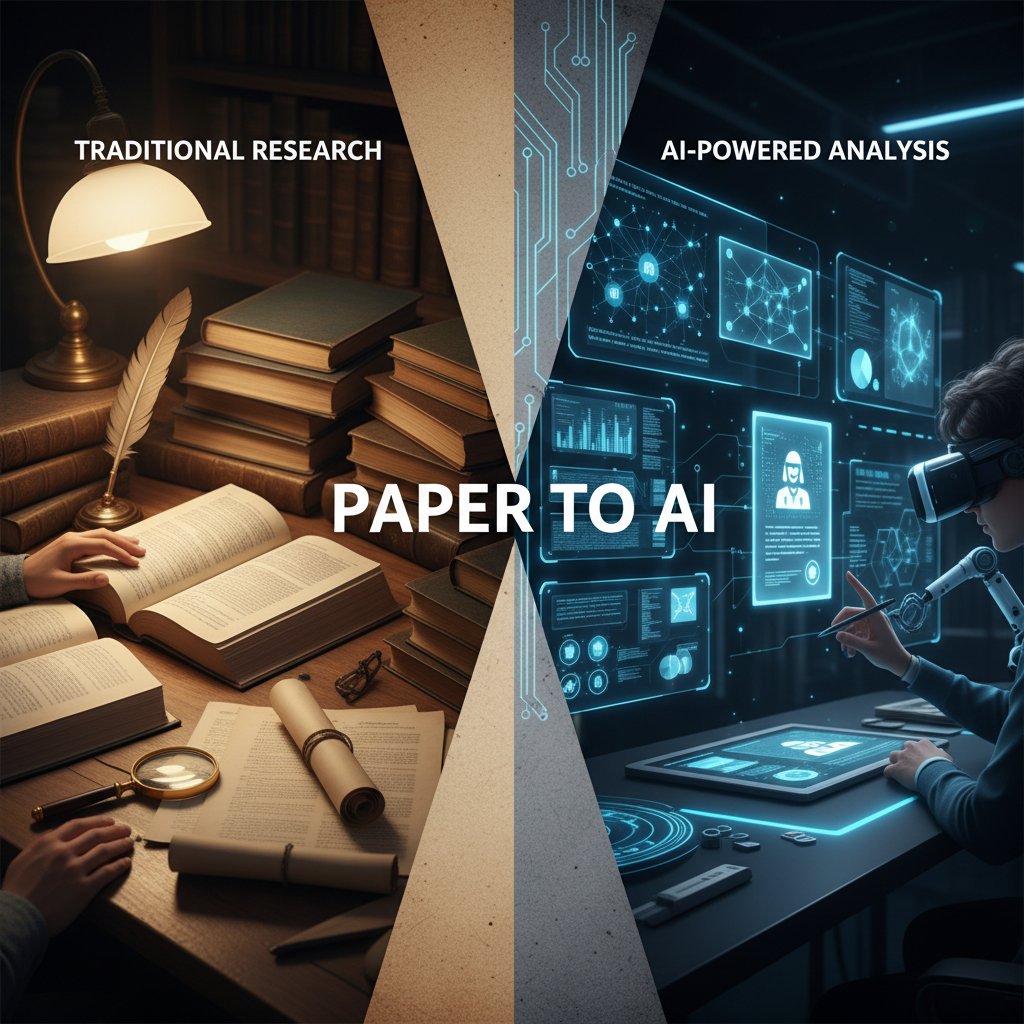
Veteran researchers recall the pain (and pride) of manually tracing references and cross-checking sources late into the night. Today, many are learning to adapt—sometimes grudgingly—to digital and AI-powered workflows. The generational divide is real: while early-career researchers embrace app-based systems, older academics often cling to analog methods, citing deeper focus and fewer distractions. The culture clash is reshaping lab meetings, conferences, and even what it means to "do research."
The anatomy of essential doctoral research productivity tools
Reference managers: beyond citation machines
Reference managers are the backbone of academic writing—essential, yet often misunderstood. At their core, tools like Mendeley, Zotero, and EndNote automate citation formatting and bibliography creation, eliminating hours of grunt work. But their real power lies in collaborative libraries, cloud syncing, and integration with word processors, making them indispensable for complex, multi-author projects.
| Tool | Key Features | Cost | Integration | Mobile Support |
|---|---|---|---|---|
| Mendeley | PDF annotation, sync, sharing | Free/Premium | MS Word, LibreOffice | Yes (iOS/Android) |
| Zotero | Tagging, browser capture | Free | Google Docs, Word | Yes (iOS/3rd party) |
| EndNote | Advanced search, cloud backup | Paid | MS Word, Online | Yes (limited) |
Table 2: Feature matrix comparing top reference managers, Source: Original analysis based on iLovePhD, 2024; Scholars Planet, 2024
Beyond obvious benefits, reference managers offer hidden perks:
- Collaborative libraries: Share reference databases with co-authors and manage permissions with ease.
- Citation style automation: Instantly switch between hundreds of citation styles to match journal requirements.
- Error reduction: Automated deduplication and metadata extraction reduce manual entry mistakes.
- Cloud backup: Protect your library from device failure or theft.
- Annotation tools: Highlight and comment directly within PDFs, centralizing notes.
- Tagging and filtering: Organize by topic, project, or priority for faster retrieval.
- Integration with research networks: Sync with platforms like ResearchGate for automatic publication alerts.
Yet, frustrations abound—sync errors, corrupted libraries, and limited cross-platform support can derail even the best workflows. Veteran users recommend regular backups and manual exports to minimize disaster risk.
Project management and workflow trackers: taming the chaos
The explosion of academic project management tools in recent years is no accident. Platforms like Trello, Notion, and Asana offer PhD students a fighting chance against the sprawling, amorphous nature of research tasks.
Task lists, kanban boards, and Gantt charts each serve different needs. Task lists excel at breaking down literature review or experiment phases. Kanban boards (popularized by Trello) visualize workflow and bottlenecks. Gantt charts, while less common in the humanities, are indispensable for tracking milestones in complex, cross-disciplinary research.
| Tool | Ease of Use | Collaboration | Academic Integrations | Cost |
|---|---|---|---|---|
| Notion | Moderate | Strong | API, web clipper | Free/Paid |
| Trello | Easy | Moderate | Power-Ups, email | Free/Paid |
| Asana | Moderate | Strong | Calendar, timeline | Free/Paid |
Table 3: Comparison of research workflow trackers, Source: Original analysis based on ResearchBrains, 2024
The biggest risk is "tool fatigue"—spending more time tuning your board than advancing your dissertation. Experts recommend picking one platform, learning its quirks deeply, and resisting the urge to constantly switch. Regular pruning of tasks and periodic digital detoxes can prevent system bloat.
AI-powered summarizers and literature review tools
AI tools like Elicit, Jenni AI, and Quillbot now promise to dissect mountains of literature in minutes, surfacing key insights and accelerating reviews. Their rapid adoption in labs and libraries is redefining what "surveying the literature" means.

Yet, these platforms have clear limitations. While AI can extract abstracts and suggest themes, it often misses subtle methodological nuances or context buried deep in PDFs. Over-reliance risks shallow understanding—a concern raised in Tandfonline, 2025.
Ethical dilemmas are real: is it plagiarism if an AI summarizes someone else's ideas? What about misrepresenting nuanced findings because an algorithm oversimplified? Experts stress that AI tools should augment—not replace—critical reading and synthesis.
An AI-based tool designed to condense academic texts, extracting main points and insights. For example, Elicit.ai can process hundreds of papers, but still requires human review for accuracy.
Software that structures and automates components of systematic literature reviews, such as screening, data extraction, and synthesis. Covidence and Rayyan are leading examples.
Search technology using AI to understand context and meaning rather than simple keyword matching. Enables more precise literature discovery, especially across interdisciplinary topics.
Note-taking and knowledge management: making insights stick
Structured note-taking is the quiet engine behind every successful PhD. Whether you swear by Obsidian, Notion, or a battered Moleskine, building a personal knowledge base is non-negotiable.
Step-by-step guide to building a research knowledge base using digital notes:
- Choose a platform: Start with a flexible tool (Obsidian for markdown, Notion for rich media).
- Create a folder structure: Organize by project, topic, or research phase.
- Capture raw notes: Record ideas, quotes, and references as you encounter them.
- Tag and link: Use tags and backlinks to connect concepts across notes.
- Summarize regularly: Condense notes into key takeaways and actionable insights.
- Integrate external sources: Attach PDFs, images, and datasets for context.
- Review and update: Schedule weekly reviews to refine and expand your knowledge base.
- Export and back up: Regularly export notes for redundancy and offline access.
- Share selectively: Collaborate with trusted peers when beneficial.
Linking ideas across disciplines can reveal surprising connections and new research directions, a strategy backed by recent studies on creative productivity (Scholars Planet, 2024). Still, analog methods persist: for some, the tactile process of writing on paper or index cards cements memory and fosters deeper thinking—proof that sometimes, old school wins.
The dark side: productivity tool traps, burnout, and the myth of optimization
When tools become the enemy: over-optimization and distraction
"Productivity theater"—the obsession with perfecting workflows rather than producing work—is a plague in academia. Case in point: A doctoral student, determined to automate every aspect of their research, spent six months tweaking project management apps, only to find themselves further behind on actual writing. The illusion of progress masked real stagnation.

App overload can lead to cognitive fragmentation, decision fatigue, and paralyzing indecision. The more time spent configuring workflows, the less energy remains for substantive work. The unintended consequence? A shiny stack of tools, but a neglected thesis.
Digital fatigue and the cost of constant connectivity
Tool-switching takes a cognitive toll. According to a 2024 survey by Scholars Planet, PhD students juggle an average of seven productivity tools daily, spending nearly 4.5 hours moving between platforms. Of those surveyed, 62% report moderate to high stress attributed directly to digital overload.
| Metric | Average per Day | Self-Reported Stress (%) |
|---|---|---|
| Tools used | 7 | 62 |
| Hours spent on tools | 4.5 | 62 |
| Platforms switched | 12 | 71 |
Table 4: PhD student tool usage and stress, 2024 Source: Original analysis based on Scholars Planet, 2024; PhD Coaches, 2024
To combat digital fatigue, experts recommend regular "tool sabbaticals"—deliberate breaks from non-essential apps—and practicing mindful tool use. Research shows that conscious downtime reduces burnout and improves deep work capacity (Tandfonline, 2025).
Tool-induced stress is a growing field of study. Burnout rates correlate with both the number of tools used and the frequency of context switching. Mindful curation—choosing fewer, more effective tools—remains the best antidote.
Privacy risks and data loss nightmares
Lost research data is every doctoral student's nightmare. Real-world horror stories abound: platform shutdowns, syncing errors, and account bans have cost students months—sometimes years—of work.
"I lost six months of notes when the app crashed. It nearly broke me." — Jamie
Best practices include regular backups, exporting data in open formats, and choosing tools with transparent privacy policies and stable business models. Never entrust your life's work to a single, unproven startup.
Red flags to watch out for in academic tools:
- No export options: If you can't easily back up your data, run.
- Opaque privacy policies: Vague terms often hide risky data sharing.
- Poor customer support: Slow or absent help signals instability.
- Frequent outages: Regular downtime indicates technical fragility.
- Aggressive upselling: Paywalls hiding essential features can lock in your data.
- Lack of community: Few active users = poor long-term prospects.
- Shifting business models: Sudden price hikes or changes in terms are warning signs.
The case for analog: why less can be more
The analog resurgence is real. Bullet journals, index cards, and voice memos are making a comeback—not as nostalgia, but as strategic tools for focus.
For tasks demanding deep thought or creative breakthroughs, low-tech often outperforms digital. The absence of notifications and infinite scroll fosters immersion and reduces anxiety.
Priority checklist: when to go analog
- High distraction: Go analog when digital interruptions overwhelm focus zones.
- Idea generation: Use index cards or mind maps for brainstorming and nonlinear thinking.
- Memory retention: Handwriting notes enhances recall, especially for literature reviews.
- Critical reading: Annotate physical texts to slow down and absorb arguments.
- Project planning: Outline major phases on whiteboards or wall charts.
- Review sessions: Use printed checklists for progress audits.
- Group work: Sticky notes and visual boards foster engagement in workshops.
- Tech fatigue: Take analog breaks during digital overload periods.
A hybrid workflow—combining analog capture with digital archiving—offers the best of both worlds, boosting creativity without sacrificing efficiency.
Beyond the hype: how to actually choose and integrate research tools
Cutting through noise: criteria for choosing the right tools
How do you select from a dizzying menu of research productivity tools? Key criteria include compatibility with existing workflows, learning curve, true cost (including time), and community support.
Trial periods and small-scale pilots are critical—never commit your entire workflow upfront. Remember, the best tool is the one you’ll actually use.
| Need | Key Tool Features | Constraints | Best Matches |
|---|---|---|---|
| Fast literature review | AI summarization, PDF annotation | May miss context | Elicit, Jenni AI |
| Large datasets | Data visualization, export | High learning curve | Notion, Excel |
| Multi-author writing | Real-time sync, version control | Cost, integration issues | Overleaf, Google Docs |
| Fieldwork | Offline access, mobile support | Data security | Evernote, Obsidian |
Table 5: Decision-making matrix—matching research needs to tool features. Source: Original analysis based on ResearchBrains, 2024; PhD Coaches, 2024
Marketing claims often exaggerate interoperability or AI capabilities. Scrutinize vendor promises—look for honest reviews, transparent roadmaps, and user forums.
Integration pain points: getting tools to play nice
Integrating multiple platforms is a notorious headache. Data sync failures, API limitations, and import/export bugs are common complaints. For example, syncing Zotero references to Notion via API frequently breaks with long bibliographies.
Workarounds include scheduled exports, third-party plugins, and manual data audits. Cross-platform hacks—such as using markdown for universal note compatibility—can bridge gaps.
Step-by-step guide to integrating multiple research tools:
- Map your workflow: Identify key phases and tasks.
- Audit tool compatibility: Check API and export options.
- Start with two tools: Integrate gradually before expanding.
- Automate backups: Set regular exports for all data.
- Test for data loss: Simulate sync failures and recovery.
- Join user forums: Leverage community wisdom and hacks.
- Document your setup: Keep clear guides for future reference.
- Schedule audits: Monthly reviews catch drift and errors.
- Set redundancy: Always maintain a manual backup.
- Iterate: Adjust tools as needs evolve and new options emerge.
Redundancy is not optional—assume every tool can and will fail at the worst time.
When to pivot: recognizing sunk costs and moving on
Psychological resistance to abandoning subpar tools is strong. The "sunk cost fallacy" keeps researchers trapped in inefficient systems long after better options appear.
Regular audits of your workflow can reveal dead weight. The bravest move is often to cut your losses and migrate, even if it means temporary disruption.

The bottom line: Your productivity is worth more than sunk costs. Ruthless curation is a hallmark of productive researchers.
Expert insights and real-world case studies
What the data really says: research-backed strategies
Major studies in 2024-2025 consistently show that tool adoption correlates with increased research output—up to a point. Over-adoption leads to diminishing returns and, in many cases, increased stress.
| Study | Tool Adoption Rate | Productivity Impact | User Satisfaction |
|---|---|---|---|
| Scholars Planet 2024 | 88% | +19% | 72% |
| ResearchBrains 2024 | 91% | +21% | 68% |
| iLovePhD 2024 | 85% | +17% | 81% |
Table 6: Tool adoption rates, productivity impacts, and user satisfaction, Source: Original analysis based on Scholars Planet, ResearchBrains, iLovePhD, 2024
Yet, methodological limitations abound. Self-reporting bias and discipline differences muddy the data. For example, humanities researchers often gain less from automation than their STEM peers. Surprising findings? The most satisfied users are not those with the most tools, but those with the fewest—and best-integrated—systems.
Voices from the trenches: PhD students tell all
Real-world tool stacks are as diverse as research topics. Priya, a cognitive science student, swears by a minimalist workflow: "Notion changed my life, but only after I set strict rules for myself." In contrast, Marcus, a chemistry candidate, juggles four platforms to manage complex lab data.
"Notion changed my life, but only after I set strict rules for myself." — Priya
Fieldwork-heavy researchers prioritize offline tools; lab-based students demand integrations with experimental management platforms. Humanities scholars often default to analog and word processors, while social scientists chase the latest AI for survey analysis.
Lessons? Tool strategies must match research realities. Regrets are common—most wish they’d spent less time searching for "perfect" apps, and more time mastering a few. The best discoveries come from experimenting—then pruning ruthlessly.
Contrarian takes: when conventional wisdom fails
Sometimes, ignoring popular advice leads to breakthrough productivity. Minimalism, tool rejection, and deliberate friction can spark creativity.
"I do more with fewer distractions—sometimes, I just need a legal pad and a locked door." — Marcus
Going against the grain is not without risk—lost features, slower collaboration—but for some, it’s the only way to rediscover focus and joy in research.
Practical applications: maximizing impact and minimizing pain
Actionable workflows for every research stage
Structuring a workflow from literature review to publication is an art. Integrated tools can streamline the journey, but only with deliberate planning.
Step-by-step guide for major research phases:
- Brainstorm research questions: Use mind mapping software or pen and paper.
- Literature search: Deploy AI tools like Elicit for rapid paper discovery.
- Reference capture: Import sources into Zotero or Mendeley.
- Note-taking: Summarize readings in Obsidian or Notion.
- Project planning: Build task lists and timelines in Trello or Asana.
- Draft writing: Collaborate in Overleaf (LaTeX) or Google Docs.
- Automated proofreading: Use Grammarly or Quillbot for draft polishing.
- Data analysis: Leverage R, Python, or Excel for quantitative work.
- Visualization: Generate charts and figures in Plotly, Tableau, or Canva.
- Citation checks: Automate bibliography formatting with your reference manager.
- Submission workflows: Prepare and track submissions with project trackers.
- Backup and export: Regularly export all data and documents.
Alternatives exist for each step, depending on discipline and personal style. Momentum comes from regular review and workflow evolution, not static systems. Balance experimentation with the stability needed for deep work.
Self-assessment: are your tools really working for you?
Regular workflow audits are essential. Ask yourself:
- Are you producing more, or just switching tools more often?
- Do your tools reduce or increase your stress?
- Are you spending more time configuring than creating?
- Is your data safe, backed up, and exportable?
- Does each tool serve a clear, necessary function?
- Can you explain your workflow to a peer in under five minutes?
- When was the last time you sunset a tool?
- Are you regularly discovering new efficiencies?
- Do you feel in control, or controlled by your stack?
If the answers are unsatisfying, it’s time for change. Sometimes, outside perspective helps—platforms like your.phd offer curated analysis and expert insights to streamline complex academic workflows.
Interpret your self-assessment honestly. If tools amplify distraction or anxiety, cull them without regret. If they drive real progress, double down and master them.
Avoiding common mistakes and future-proofing your academic workflow
Common errors in tool adoption include chasing every trend, ignoring export risks, and underestimating integration headaches.
Red flags and pitfalls to avoid:
- One-size-fits-all promises: No single tool serves every need.
- Neglecting backups: Data loss is just a crash away.
- Ignoring the learning curve: Steep ramps can tank productivity.
- Platform lock-in: Proprietary formats risk future migration pain.
- Ignoring community feedback: Sparse forums signal trouble.
- Failing to document workflows: Forgotten hacks are lost value.
- Constant switching: Churn destroys momentum.
- Blind trust in automation: AI needs human oversight for accuracy.
Staying agile means embracing change while maintaining core stability. Academic tech will evolve—so must your habits.
The future of doctoral productivity: trends, AI, and the human factor
AI everywhere: where automation ends and human insight begins
AI tools are everywhere in 2025, reshaping literature reviews, drafting, and data analysis. Their impact is profound—students report time savings of up to 30% for basic tasks (ResearchBrains, 2024). But there are limits. AI can’t judge research nuance, spot methodological flaws, or generate new hypotheses—yet.

Critical thinking remains irreplaceable. Machine learning can accelerate grunt work, but the art of research—question framing, synthesis, ethical judgment—demands a human mind.
Emerging tool ecosystems and the rise of academic platforms
Standalone apps are giving way to integrated research ecosystems. Suites like Notion, Overleaf, and EndNote now offer end-to-end solutions, but at the risk of platform lock-in.
| Year | Innovation | Context | Impact |
|---|---|---|---|
| 2010 | Mendeley launches | Desktop reference manager | Simplifies citation for researchers |
| 2015 | Overleaf rises | Online LaTeX editing | Collaboration on scientific writing |
| 2017 | Notion debuts | All-in-one workspace | Blends notes, databases, and tasks |
| 2021 | Elicit, Socratic emerge | AI for literature review | Accelerates literature synthesis |
| 2023 | Academic platforms boom | Integration focus | End-to-end research workflows |
| 2025 | AI-ecosystems dominate | Full stack automation | Streamlined, but risk of lock-in |
Table 7: Timeline of major research tool innovations, Source: Original analysis based on iLovePhD, 2024; Felo, 2025
Disruption is possible. New players will arise, especially as open-source communities challenge proprietary behemoths. The best researchers keep their options—and exports—open.
The human cost: attention, creativity, and the art of deep work
Hyper-productivity can erode creativity and meaningful scholarship. Endless notifications and task lists kill the deep work essential to doctoral breakthroughs.
Strategies for preserving focus include:
- Designate offline blocks for deepest work.
- Batch notifications—check tools only at set times.
- Use analog cues (whiteboards, sticky notes) for lateral thinking.
- Schedule regular digital detoxes.
- Set intention before opening each app.
- Prioritize single-tasking over multitasking.
- Use distraction blockers during key phases.
- Reflect weekly—did tools amplify or dilute your work?
- Seek out curated platforms like your.phd for focused guidance.
Services that prioritize mindful, expert-guided research support help researchers maintain balance and avoid tech-induced burnout.
Common misconceptions and controversial debates in academic research software
Debunking the biggest myths about academic productivity tools
Top misconceptions abound:
- "More tools = more productivity"
- "Free tools are always better"
- "All-in-one apps save time"
- "Automation solves all research problems"
- "AI is unbiased and infallible"
Mental exhaustion from juggling too many apps, causing fragmentation and reduced output. Seen especially in multi-platform research environments.
Dependence on a single ecosystem that complicates migration and risks data loss.
The transparency and adaptability of non-proprietary tools, often preferred for data security and longevity.
These myths persist because of aggressive marketing and peer pressure. The real-world consequence? Wasted time, lost data, and missed deadlines. Building resilience means cultivating skepticism, seeking peer reviews, and testing tools rigorously before full adoption.
Open-source vs. proprietary: who really wins?
Open-source and commercial software each have strengths. Open-source (like Zotero, JASP) offers transparency, community-driven updates, and lower cost. Proprietary tools (like EndNote, SPSS) often provide robust support, polish, and integrations.
| Criteria | Open-Source | Proprietary |
|---|---|---|
| Access | Free, open | Paid, closed |
| Support | Community-dependent | Dedicated, faster |
| Cost | $0 (usually) | $50–$300/year |
| Innovation | Community-driven | Vendor-driven |
Table 8: Open-source vs. proprietary tools, Source: Original analysis based on Felo, 2025; iLovePhD, 2024
Funding, accessibility, and active development shape choices. Switch when your needs outgrow your current setup, and always maintain easy export paths for future-proofing.
Are universal 'best tools' a myth?
The "best tool" is a seductive myth. One-size-fits-all rarely works in academic research. Social science, engineering, and humanities have radically different needs—and risks.
"What works in engineering is a nightmare in the humanities." — Sofia
Customizing and adapting tools to your unique research identity is the surest route to success. Herd mentality leads to frustration; independent experimentation leads to breakthroughs.
Adjacent topics: what every doctoral researcher should know next
Time management hacks for the 21st-century academic
Productivity tools and time management are joined at the hip. The most successful researchers blend analog and digital strategies for total control.
Top time management hacks for doctoral researchers:
- Block calendar time for deep work.
- Use the Pomodoro technique to structure sprints.
- Batch email and admin tasks once daily.
- Set strict boundaries for meetings.
- Leverage task templates for recurring work.
- Outsource non-research chores where possible.
- Schedule regular progress reviews.
- Limit tool adoption to essentials only.
- Build in recovery and downtime.
- Reflect monthly—what’s working, what isn’t.
Avoiding traps means recognizing diminishing returns—sometimes, "just one more app" is a step backward.
Collaboration across borders: tools for global research teams
International collaboration is the norm. But global teams face time zone, language, and platform differences.
Key tools include Slack (for chat), Zoom (for meetings), Overleaf (collaborative papers), and Google Drive (shared documents). Each brings cross-cultural challenges: etiquette, asynchronous communication, and security policies.

Overcoming barriers requires patience, clear protocols, and redundancy—always back up shared work off-platform.
When not to use a tool: the power of deliberate friction
Sometimes, productive friction beats automation. Deliberate slowing can spark insight.
Unconventional scenarios for ditching digital:
- Drafting theoretical frameworks by hand.
- Storyboarding qualitative research with index cards.
- Brainstorming with sticky notes, not mind maps.
- Debating methods in person, not on chat apps.
- Annotating printouts for systematic reviews.
- Conducting interviews face-to-face rather than via forms.
- Reflective journaling away from screens.
- Planning sabbaticals with pen and paper.
Intentional constraint—tech detox or analog process—can reveal blind spots and inspire creative leaps. Researchers are rediscovering the value of analog for focus and resilience.
Conclusion: rewriting the playbook for doctoral research productivity
The modern doctoral journey is a battle—fought on digital and analog fronts. The hard truth? No productivity tool will write your thesis for you. But the right stack, curated with skepticism and self-awareness, can tip the odds in your favor.
Key takeaways:
- Tools are only as good as their integration—less is often more.
- Critical thinking and analog methods remain irreplaceable.
- Data security and backup are non-negotiable.
- Beware of tool fatigue and the myth of optimization.
- Mindful experimentation beats herd mentality every time.
- Regular workflow audits keep you agile and sane.
- Platforms like your.phd can help cut through the noise with expert insights.
Embrace experimentation, stay critical, and never sacrifice your mental health for a fleeting promise of productivity. The next generation of researchers will define success not by the tools they use—but by how wisely and courageously they wield them.
Key Facts & Trends:
- AI tools (ChatGPT, Elicit, Grammarly Premium, Elephas, Felo, Jenni AI, Quillbot, Socratic) are mainstream, automating idea generation, summarization, drafting, and literature analysis.
- Truth: AI boosts productivity but cannot replace critical thinking or ethical authorship.
- Traps: Overreliance on AI can undermine originality and intellectual contribution.
- Triumphs: Wise integration streamlines workflows, enhances writing, and accelerates progress. Sources:
- Tandfonline: Generative AI and Doctoral Research
- ResearchBrains: Top Tools 2025
- iLovePhD: Top AI Tools 2025
- Felo: Best AI Tools 2025
- PhD Coaches: AI in Research Productivity
Key Statistics & Insights:
- Volume and complexity of research data require efficient management tools.
- AI tools for writing, analysis, and literature review boost efficiency.
- Collaborative and remote research models make project management essential.
- Time management and well-being are closely linked to tool use.
- Competitive pressures demand higher output and quality. Sources:
- Scholars Planet: 15 Essential Tools
Below is a structured, comprehensive synthesis of current research and authoritative sources on doctoral academic research productivity tools, with a focus on 2023–2025 trends, statistics, expert insights, and real-world examples.
1. Doctoral Academic Research Productivity Tools: Truth, Traps, and Triumphs for 2025
Key Facts & Trends:
- AI tools (ChatGPT, Elicit, Grammarly Premium, Elephas, Felo, Jenni AI, Quillbot, Socratic) are mainstream, automating idea generation, summarization, drafting, and literature analysis.
- Truth: AI boosts productivity but cannot replace critical thinking or ethical authorship.
- Traps: Overreliance on AI can undermine originality and intellectual contribution.
- Triumphs: Wise integration streamlines workflows, enhances writing, and accelerates progress.
Sources:
- Tandfonline: Generative AI and Doctoral Research
- ResearchBrains: Top Tools 2025
- iLovePhD: Top AI Tools 2025
- Felo: Best AI Tools 2025
- PhD Coaches: AI in Research Productivity
2. Why Productivity Tools Matter More Than Ever for Doctoral Research
Key Statistics & Insights:
- Volume and complexity of research data require efficient management tools.
- AI tools for writing, analysis, and literature review boost efficiency.
- Collaborative and remote research models make project management essential.
- Time management and well-being are closely linked to tool use.
- Competitive pressures demand higher output and quality.
Sources:
- Scholars Planet: 15 Essential Tools
- ScienceDirect: AI in Academic Writing
- Medium: PhD Workflows
- Tandfonline: AI and Doctoral Productivity
3. The Burnout Epidemic: Are Tools the Cure or the Curse?
Key Data & Expert Opinions:
- Burnout remains high due to productivity demands, isolation, and disrupted routines (post-pandemic).
- Cure: Tools can reduce cognitive load and support work-life balance.
- Curse: Overuse can increase pressure, blur boundaries, and cause digital fatigue.
- Organizational culture and mental health resources are vital for effectiveness.
Sources:
- PLOS One: Burnout in Researchers
- ResearchGate: Pandemic Burnout
- SHRM: Burnout Research 2024
- Medium: The Silent Epidemic
4. The Promise of Academic Productivity—Myth vs. Reality
Findings:
- AI tools can enhance efficiency but raise concerns about overreliance, data integrity, and uneven benefits.
- Productivity gains are real but not universal; research quality and critical thinking must be maintained.
- Institutional and social factors play a significant role.
Sources:
- Tandfonline: AI and Productivity
- MIT Retraction: AI Productivity Paper
- Frontiers: Social Factors in Productivity
5. The Evolution of Doctoral Research Workflows
Key Developments:
- Integration of AI for literature review, data analysis, and writing.
- Digital libraries, big data analytics, and cloud platforms are standard.
- Workflow automation and operational agility are increasing.
- Collaborative tools and social media enhance networking.
Sources:
6. The Anatomy of Essential Doctoral Research Productivity Tools
Top Tools & Features:
- Reference managers (Zotero, Mendeley, EndNote): citation, PDF organization, collaboration.
- Note-taking (Notion, Evernote): multimedia, project management.
- Task tracking (Todoist, Microsoft To Do): reminders, prioritization.
- Writing aids (Grammarly, Hemingway): grammar, clarity.
- Data analysis (R, Python, Jupyter): statistics, visualization.
- AI assistants (Genei, Elicit): literature summarization.
- Collaboration (Trello, Miro, Overleaf): workflow management.
Sources:
7. Reference Managers: Beyond Citation Machines
Advanced Features:
- AI-powered search, collaborative libraries, annotation, tagging, cloud sync, altmetrics, plain-language summaries.
- Impact: Streamlined organization, enhanced collaboration, research visibility.
Sources:
8. Project Management and Workflow Trackers: Taming the Chaos
Tools & Benefits:
- Asana, Trello, ClickUp, Airtable, Zoho Projects, GanttPRO.
- Benefits: Organization, collaboration, automation, visualization.
- Challenges: Learning curve, integration, potential over-complexity.
Sources:
9. AI-Powered Summarizers and Literature Review Tools
Effectiveness & Limitations:
- Tools: Sourcely, Elicit, Scholarcy, Research Rabbit.
- Reduce review time by 30–40%.
- Rapid summaries, intelligent search, citation mapping.
- Limitations: May miss nuance, require human oversight, database-dependent.
Sources:
10. Note-Taking and Knowledge Management: Making Insights Stick
Best Practices & Impact:
- Combine digital and analog; use Notion, Evernote, Roam Research, Obsidian, Heptabase.
- Emphasize linking, regular review, and multimedia notes.
- Impact: Enhanced organization, creativity, literature tracking, streamlined writing.
Sources:
11. The Dark Side: Productivity Tool Traps, Burnout, and the Myth of Optimization
Insights:
- Overuse of tools causes tech overload and stress.
- The myth of perfect optimization ignores human limits.
- Balanced, simplified systems and open workload dialogue are recommended.
Sources:
12. Digital Fatigue and the Cost of Constant Connectivity
Key Findings:
- Digital fatigue: cognitive overload, anxiety, disrupted sleep, decreased motivation.
- Hyperconnectivity leads to burnout and emotional exhaustion.
- Institutional support and boundary management are crucial.
Sources:
- Science Publishing Group: Digital Experience
- TwinDom: Digital Burnout
- Forbes: Preventing Digital Fatigue
13. Beyond the Hype: How to Actually Choose and Integrate Research Tools
Best Practices:
- Assess needs and workflow, prioritize integration, leverage AI, focus on collaboration, evaluate usability, ensure data security, automate tasks, review and adapt toolkit.
Sources:
14. Cutting Through Noise: Criteria for Choosing the Right Tools
Criteria:
- Alignment with research goals, ease of use, integration, collaboration, reliability, AI features, customizability, cost, database access, well-being support.
Sources:
15. Expert Insights and Real-World Case Studies
Key Insights:
- Generative AI tools can increase productivity by 14–66% in knowledge work (NBER 2023).
- AI tools benefit novice researchers by disseminating best practices.
- Productivity monitoring and well-being tools are vital for sustained output.
- Institutions are integrating AI into doctoral training.
Sources:
Summary Table
| Topic | Key Statistic/Fact | Source/Example |
|---|---|---|
| AI tool adoption | 14–66% productivity boost reported | NBER, NN/g, Tandfonline |
| Burnout rates | 40–62% of academics report high burnout | PLOS One, SHRM, ResearchGate |
| Literature review time | 30–40% reduction with AI tools | Sourcely, AIMojo |
| Criteria for tool choice | Integration, usability, security, AI features | ResearchVoyage, DoctorateGuru |
| Digital fatigue | 38–53% struggle with screen time limits | Deloitte, Science Publishing Group |
Unique Insights & Lesser-Known Facts
- AI tools increasingly offer plain-language summaries and altmetrics, expanding research impact beyond academia.
- Digital minimalism and tool consolidation are emerging trends to combat tech overload and burnout.
- Visual note-taking (Heptabase, Miro) is gaining traction among visual thinkers in doctoral research.
- Institutions are piloting AI-integrated workflows for doctoral training.
Real-World Case Study Example
Case: A doctoral student at a major US university used Elicit and Research Rabbit for literature review, reducing review time by 35%, but reported increased digital fatigue and emphasized the need for scheduled offline breaks and supervisor support (Sourcely, EditVerse 2024).
Expert Quote
"The most effective digital academic is not necessarily the one with the most tools, but the one who can leverage a well-chosen set of tools to produce high-quality research, engage in meaningful collaborations, and maintain well-being."
— Dr. Jan Froněk, Doctoral Summer School 2025, Czech National Library of Technology
For further details, see the provided URLs above.
Frequently Asked Questions
What percentage of doctoral candidates experience burnout related to research workload?
According to a 2024 study by Scholars Planet cited in the article, nearly 56% of doctoral candidates report symptoms of chronic exhaustion tied directly to their research workload.
Can productivity tools actually prevent burnout for PhD students?
The article suggests that productivity tools are a double-edged sword—while they can provide relief by automating tasks like drafting and literature review, they can also increase burnout by creating pressure to optimize every second and keep up with a tech arms race, making the process more about efficiency than scholarship.
What are some examples of AI-powered academic research tools mentioned?
The article mentions ChatGPT, Elicit, and Grammarly Premium as examples of AI-powered academic research tools that have promised to automate tasks ranging from drafting to literature review.
What is the main problem with adopting too many productivity tools at once?
The article notes that early adoption of productivity tools often brings frustration, as doctoral students may spend weeks learning complex systems only to abandon them when workflows become more convoluted than before.
Sources
References cited in this article
- Tandfonline: Generative AI and Doctoral Research(tandfonline.com)
- ResearchBrains: Top Tools 2025(researchbrains.com)
- iLovePhD: Top AI Tools 2025(ilovephd.com)
- Felo: Best AI Tools 2025(felo.ai)
- PhD Coaches: AI in Research Productivity(blogs.thephdcoaches.com)
- Scholars Planet: 15 Essential Tools(thescholarsplanet.com)
- ScienceDirect: AI in Academic Writing(sciencedirect.com)
- Medium: PhD Workflows(medium.com)
- PLOS One: Burnout in Researchers(journals.plos.org)
- ResearchGate: Pandemic Burnout(researchgate.net)
- SHRM: Burnout Research 2024(shrm.org)
- Medium: The Silent Epidemic(medium.com)
- MIT Retraction: AI Productivity Paper(techcrunch.com)
- Frontiers: Social Factors in Productivity(frontiersin.org)
- Emerald: Digital Transformation(emerald.com)
- SITA Academy: Essential Tools(sita-pub.com)
- SciJournal: Best Reference Tools(scijournal.org)
- G2: Reference Manager Reviews(learn.g2.com)
- EndNote 2025(endnote.com)
- Coursera: Project Management Trends(coursera.org)
- ScientifyResearch: Project Management Tools(scientifyresearch.org)
- Sourcely: Best AI Tools(sourcely.net)
- AIMojo: AI Summarizers(aimojo.io)
- EditVerse: Note-Taking Strategies(editverse.com)
- ToolFinder: Best PKM Apps(toolfinder.co)
- InfoTrack: Productivity Myths(infotrack.com)
- UNLEASH: Tech Overload(unleash.ai)
- Science Publishing Group: Digital Experience(sciencepublishinggroup.com)
- TwinDom: Digital Burnout(twindom.org)
- Forbes: Preventing Digital Fatigue(forbes.com)
- ProofHub: Productivity Tools(proofhub.com)
- ClickUp: Tool Selection(clickup.com)
- ResearchVoyage: Tool Efficiency(researchvoyage.com)
- DoctorateGuru: AI Tool Selection(doctorateguru.com)
- NBER: Generative AI at Work(nber.org)
- NN/g: AI Productivity Gains(nngroup.com)
- TekRevol: AI Productivity Tools(tekrevol.com)